
What is NEO?
NEO is a voice-first desktop AI assistant designed for blind and low-vision users. It can understand a spoken request, decide which tools it needs, operate browser workflows, and report the result through an accessible voice and desktop interface.
I lead development across the Electron application and the Python agent backend. The product combines Electron, React, and TypeScript with Python LiveKit Agents, LangGraph, speech-to-text, text-to-speech, LLM tool routing, and Puppeteer/CDP browser automation.
The source lives in a private client repository. This case study focuses on the architecture and engineering decisions I can discuss publicly.
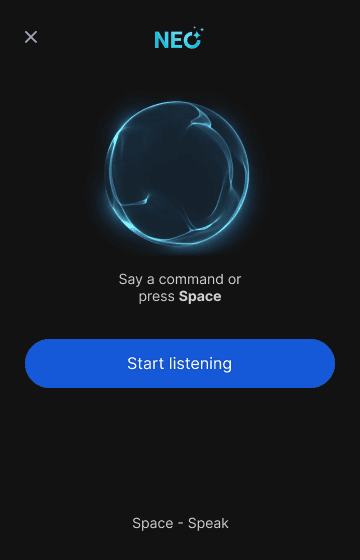
From Voice to Action
The main engineering problem was not generating a response. It was carrying intent safely across several systems and returning useful feedback when any one of them could fail.
The request path works like this:
- Wake detection and LiveKit start the voice session.
- Python speech recognition and LangGraph orchestration interpret the request.
- The agent selects a tool or asks a clarifying question when required information is missing.
- LiveKit data channels carry structured actions to the Electron application.
- Typed preload and IPC boundaries route browser work to the main process.
- Puppeteer and the Chrome DevTools Protocol perform the action in the user's browser context.
- The result returns through the same chain and is announced through the interface and speech layer.
That boundary design matters. Browser execution stays outside the renderer, action payloads remain typed, and the voice agent receives structured results instead of scraping its own UI.
Reliability Beyond the Happy Path
Voice and browser agents fail in ways ordinary forms do not. A user can interrupt mid-sentence, omit an essential field, have a locked browser profile, revoke microphone access, or change intent while a tool is already running.
I built the product around those cases:
- Multi-turn clarification when a request is underspecified
- Cancellation and interruption paths for active work
- Sleep, wake, standby, privacy mute, and reset states
- Browser profile import for Chrome, Edge, Brave, and Opera
- Lock-state detection and recovery guidance when a profile is unavailable
- Diagnostics that expose voice, agent, and browser connection state
- Regression fixes for browser behavior changes, including Chrome 136+
The goal is not to hide every failure. It is to keep the system understandable and recoverable when one occurs.
Accessibility as System Behavior
Accessibility is part of the product architecture rather than a visual pass at the end. NEO includes announced controls, a screen-reader toggle, guided form filling, keyboard and voice interaction, privacy controls, and explicit feedback for listening, processing, speaking, cancellation, and error states.
Those states also improve agent reliability. When the interface clearly represents what the system is doing, users can interrupt or correct it before an incorrect action compounds.
Reducing Voice Latency
Conversational latency is cumulative. Endpoint detection, transcription, routing, tool selection, network calls, and speech generation each add delay.
I reduced endpointing delay from 1.8 seconds to 0.8 seconds and parallelized independent LangGraph supervisor stages. The change improved perceived response time without removing the checks needed before tool execution.
This work reinforced a practical lesson: optimize the whole interaction path, not only model response time.
Shipping a Desktop Agent
NEO ships as a desktop product, so the work continues after the agent behaves correctly in development. I supported Windows, macOS, and Linux builds with electron-builder, native module rebuilds, environment management, GitHub Actions, and application updates.
Desktop release work exposed a different class of failures: platform-specific native dependencies, signing and packaging differences, environment injection, browser process state, and regressions that only appear in packaged builds.
What I Learned
- Tool design is product design. A clear tool contract determines what the agent can do safely and what feedback the user receives.
- Clarification is a feature. Asking one focused question is often better than letting an agent guess and repair the consequences later.
- Accessibility improves observability. Explicit states help both the user and the engineering team understand the system.
- Agent speed is end-to-end. Model latency is only one part of a voice interaction.
- Production agents need recovery paths. A demo can assume a clean browser and perfect input. A product cannot.
The Stack
- Desktop: Electron, React, TypeScript, typed preload and IPC bridges
- Agents: Python, LiveKit Agents, LangGraph, LangChain, OpenAI, Anthropic
- Voice: Speech-to-text, text-to-speech, wake and interruption handling
- Automation: Puppeteer, Chrome DevTools Protocol, browser profile integration
- Delivery: electron-builder, GitHub Actions, native module rebuilds, multi-platform packaging